Free CV builder and writing resource
Build a Professional CV and Learn How to Write It Well
Free CV Maker helps job seekers create a clean CV in the browser and understand what each section should say. The site combines a practical CV builder with original guides, examples and wording advice for students, entry-level candidates, career changers and experienced professionals.
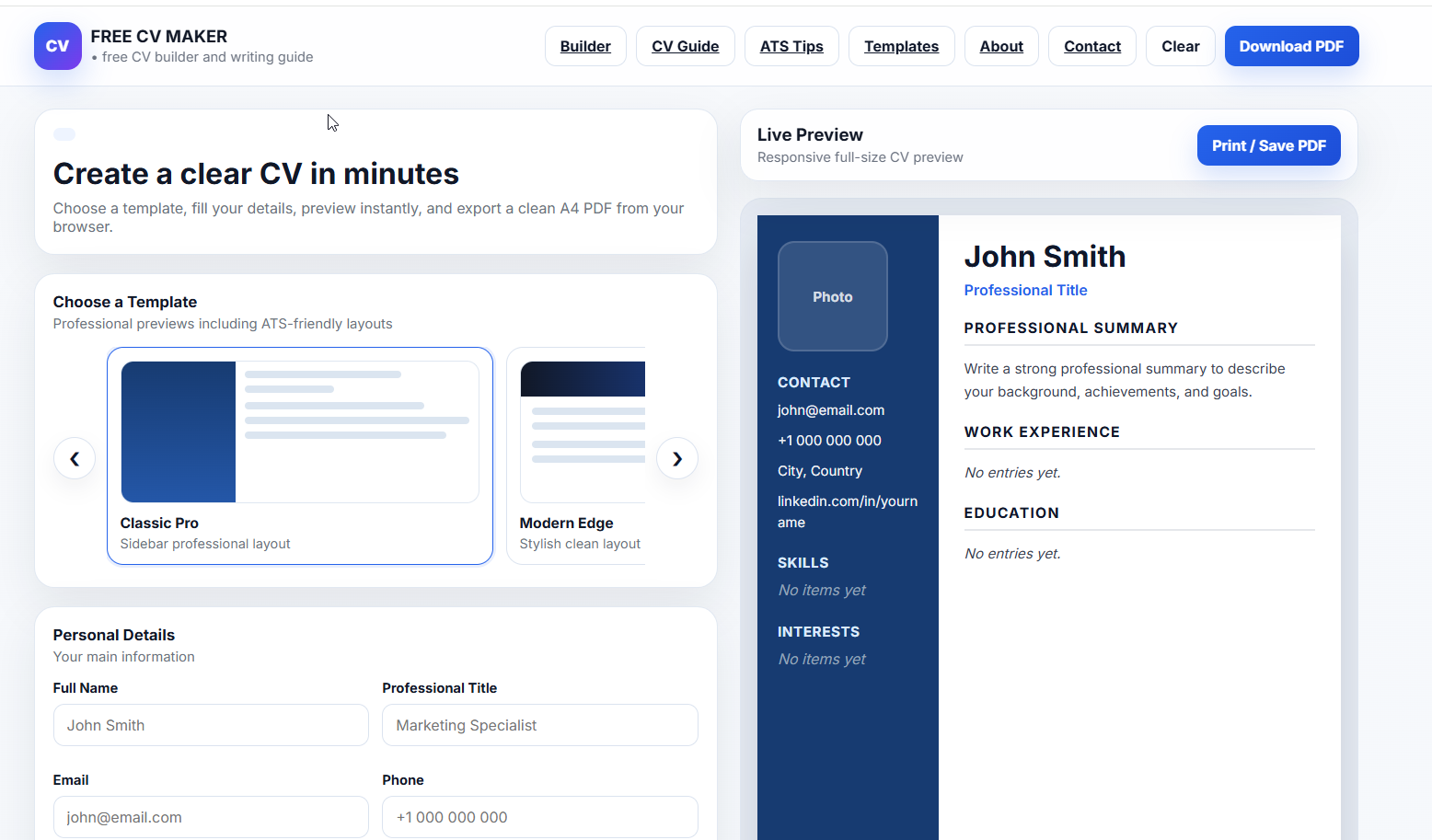
What Free CV Maker Provides
A useful CV website should do more than offer a form. It should help visitors understand what information matters, how to describe experience and how to choose a layout that fits the application. Free CV Maker provides a browser-based builder for creating a printable CV and a growing library of writing resources that explain summaries, skills, experience, ATS formatting, cover letters and role-based examples.
The builder includes professional templates, live preview, sections for work experience, education, skills, awards, volunteering and interests, and a print or PDF workflow. The writing guides explain how to make those sections stronger so the final document is not only formatted well, but also clear and relevant.
How to Create a Strong CV
Start with the role you want. Read the job description and identify the skills, responsibilities and tools that appear most often. Then write your CV around evidence. A recruiter should quickly see who you are, what type of work you do, which skills you can prove and what results or responsibilities belong to your background.
A common structure is contact information, professional title, summary, key skills, work experience, education and optional sections. Students can place education and projects higher. Experienced candidates usually place recent work experience first. Career changers should connect transferable experience to the target role instead of hiding previous work.
CV Sections Explained
Professional Summary
The summary should be short and specific. Mention your role, level of experience, strongest skills and the type of position you are targeting. Avoid vague phrases such as "hard working" unless the rest of the CV proves them.
Skills
A skills list works best when it matches the job description and is supported by your experience. If you list Excel, customer service, JavaScript, scheduling or project coordination, the CV should show where you used those skills in real situations.
Work Experience
Each job entry should include your title, company, dates and clear responsibilities or achievements. Use numbers when they are honest: customers helped, reports prepared, projects completed, time saved, sales supported or team members trained.
Education and Projects
Education is especially important for students, recent graduates and candidates with limited experience. Add coursework, projects, certifications or training when they are relevant to the role. Projects can show practical ability even when formal work history is short.
ATS-Friendly CV Advice
Many employers use applicant tracking systems to organize applications. An ATS-friendly CV uses standard headings, readable text and honest job-related keywords. Avoid placing important details only inside images, icons or unusual layouts. If the employer asks for a specific file type, follow that instruction.
ATS-friendly does not mean plain or low quality. A well-spaced, readable template can still look professional. The safest approach is to keep the structure predictable and make the writing specific.
Original CV Resources
These guides are written for real application situations. Use them to prepare your content before opening the builder or to improve a CV you have already drafted.
- Complete CV writing guide
- ATS-friendly CV formatting tips
- Student CV example and writing tips
- How to write a CV with no experience
- Professional summary examples
- Best skills to put on a CV
- Common CV mistakes to avoid
- CV template examples and layout advice
- Role-based CV examples
- Cover letter guide
- Resume action verbs and achievement wording
Editorial Standards and Transparency
Free CV Maker publishes practical educational content for job seekers. We do not guarantee interviews, job offers or employer responses. Hiring decisions depend on many factors outside a CV website, including role requirements, experience, interview performance and market conditions. Our goal is to help visitors prepare a clearer, more honest and more useful application document.
The CV builder works in the browser and does not require payment to create a CV. For privacy details, browser storage, cookies and advertising information, read the Privacy Policy. For corrections, support or content suggestions, contact Free CV Maker support.
Frequently Asked Questions
Is Free CV Maker really free?
Yes. You can use the builder, preview templates and print or save your CV without payment.
Should I use a photo on my CV?
That depends on the country, industry and employer expectations. If you are unsure, use a template without a photo, especially for international applications or ATS-heavy online portals.
How long should my CV be?
Many students and entry-level candidates can use one page. Experienced professionals may need two pages if the information is relevant. The goal is not a fixed length, but a clear document where every section has value.
Ready to Build?
Open the builder, choose a template and turn your prepared content into a clean CV.
Open Free CV Builder